Bothy Dashboard · for organizers

Your community, run from one screen.

This is the screen you use after you sign in. Invite your members, choose whose passes count, set up the register and put your pass to work, all in one place.

Screens show a demo community, The Harbor Club, with made-up members.
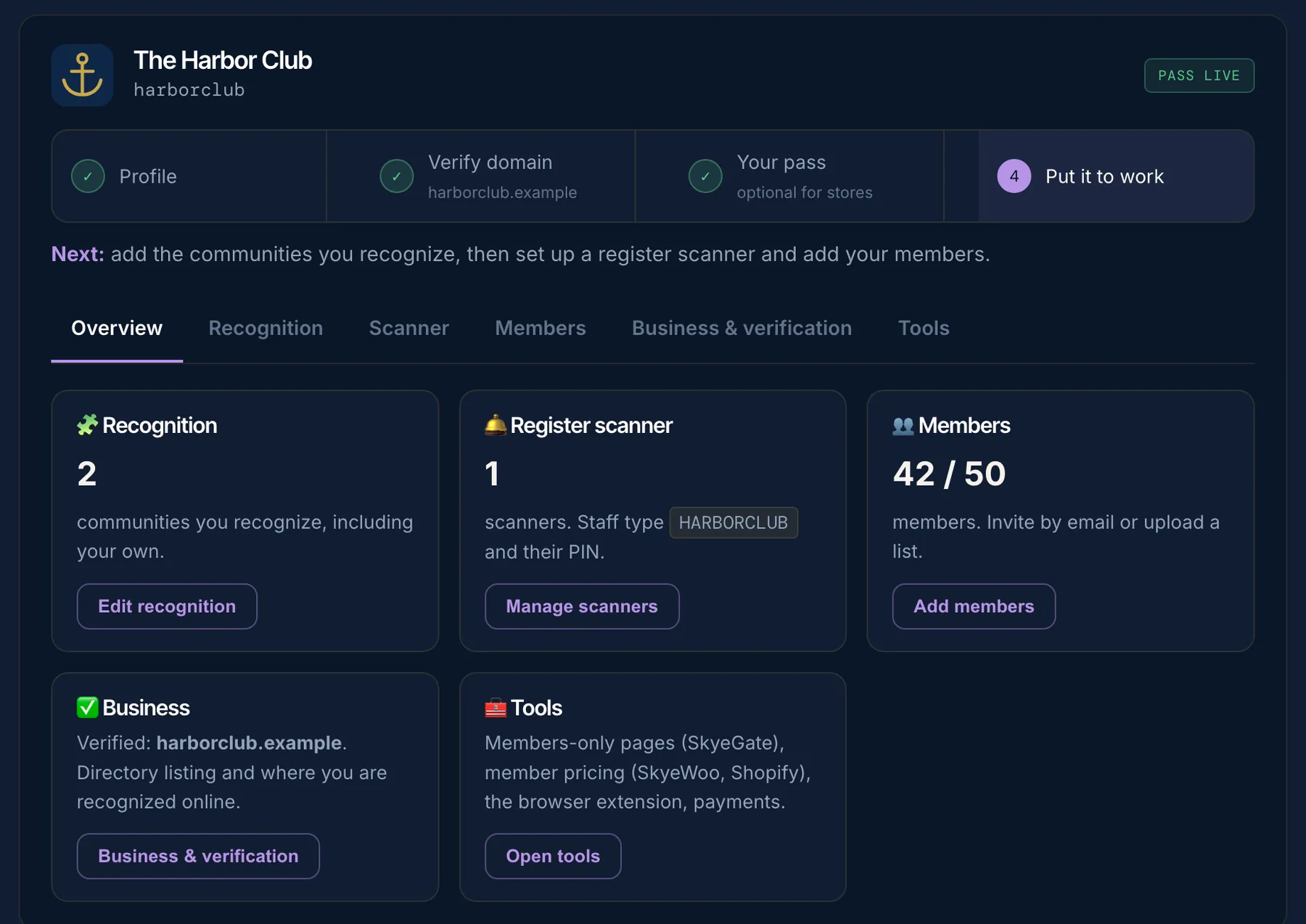
The Bothy dashboard overview for a demo community, The Harbor Club: 2 communities recognized, 1 register scanner, 42 of 50 members
✓
Pass liveEvery tab in one place
Every tab, before you sign in.

These are the real screens, filled in with a demo coffee roaster's members club.

1Members

Invite your people, see who's in

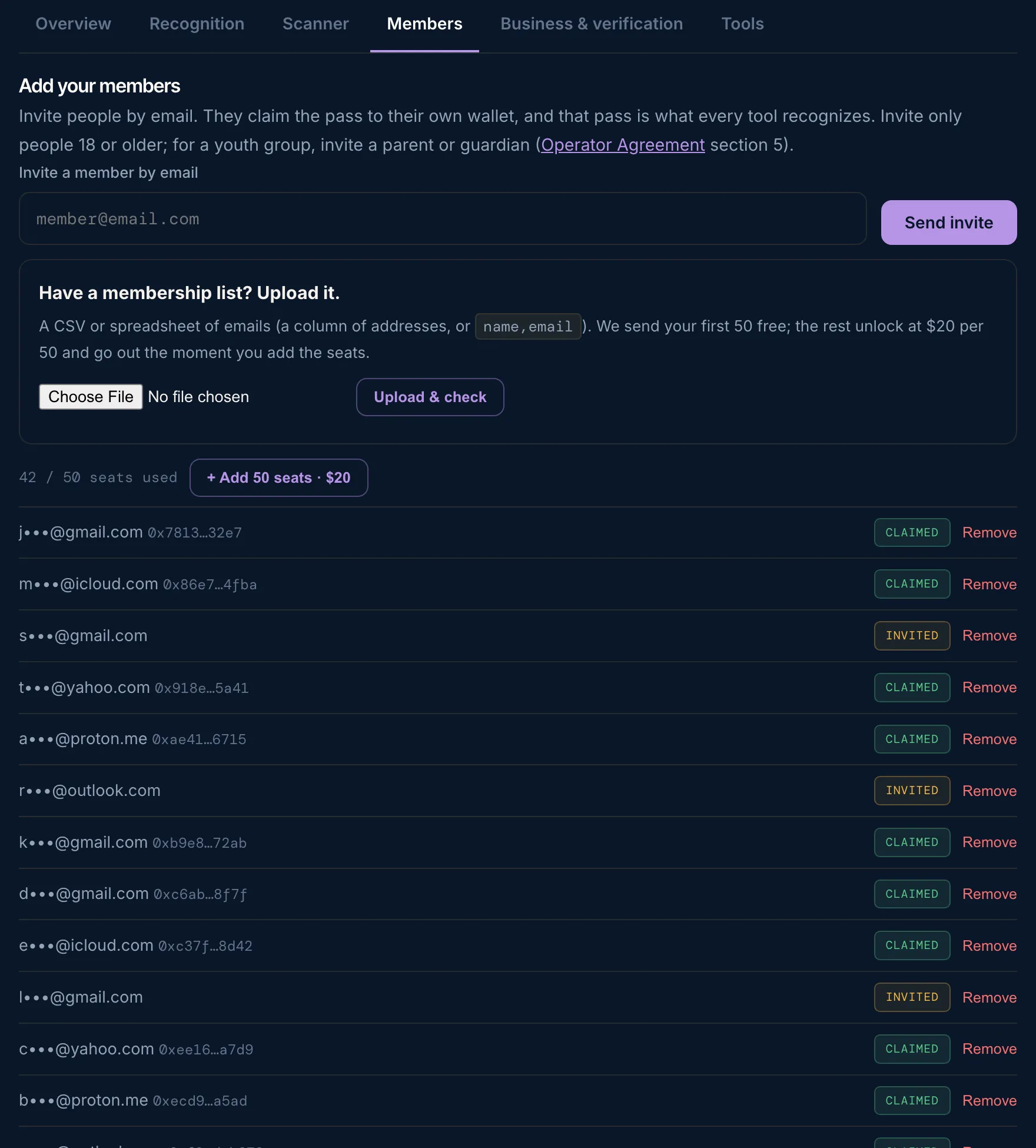
Invite someone by email, or upload your membership list as a spreadsheet. Each person shows as Invited until they claim their pass, then Claimed.

Your first 50 seats are included. Need more? Add 50 seats for $20, one time.

skyemeta.com/bothy/dashboard
The Members tab: invite by email, upload a list, 42 of 50 seats used, and members marked Claimed or Invited
2Recognition

Choose whose passes count

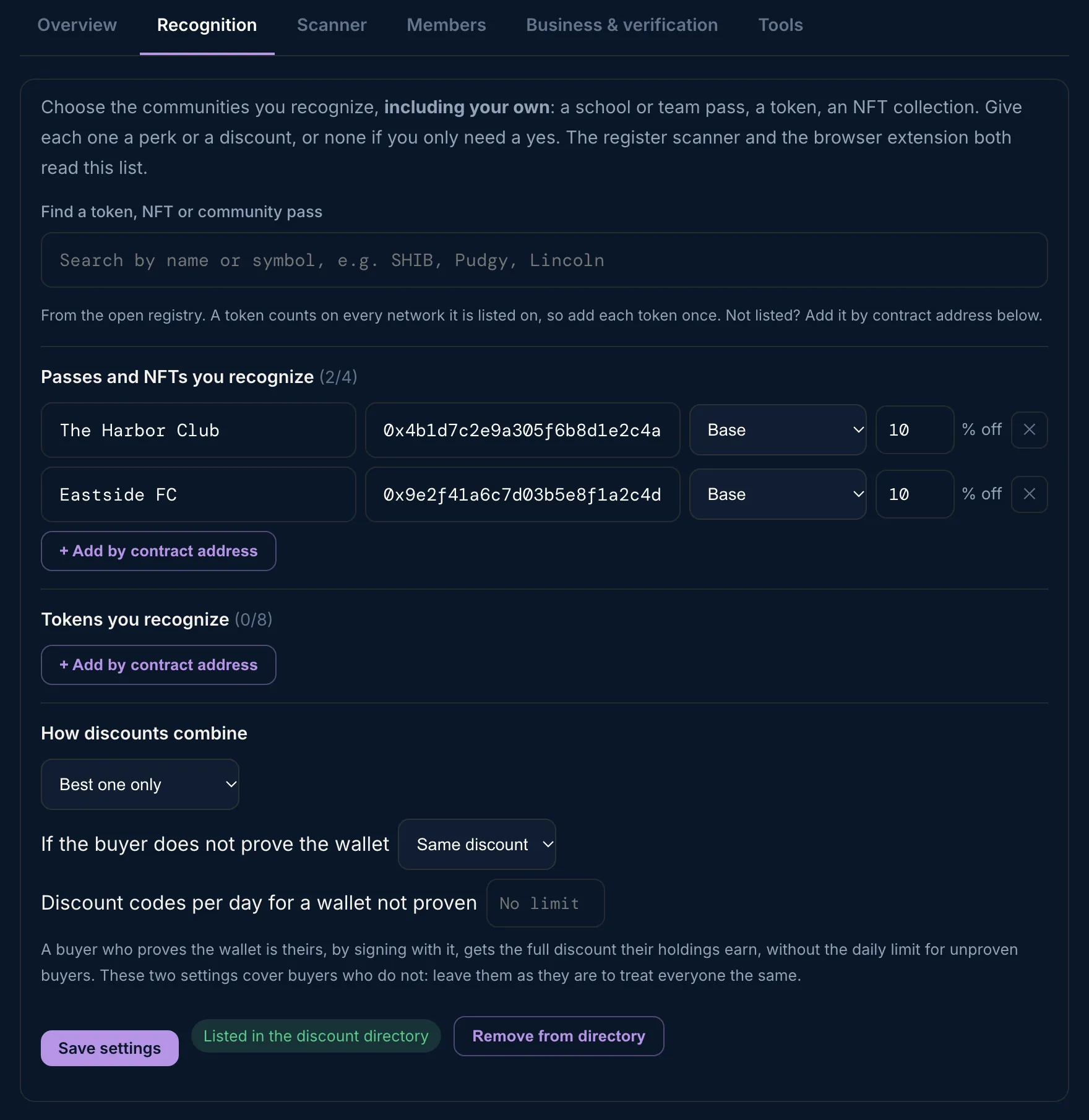
Add your own pass, and the passes of other communities you want to welcome. You can also add a token or NFT your customers hold with + Add by contract address.

Set a member discount for each one, or leave it at 0 if you only need a yes.

skyemeta.com/bothy/dashboard
The Recognition tab: The Harbor Club and Eastside FC passes, each with 10% off
3Scanner

Set up a register scanner

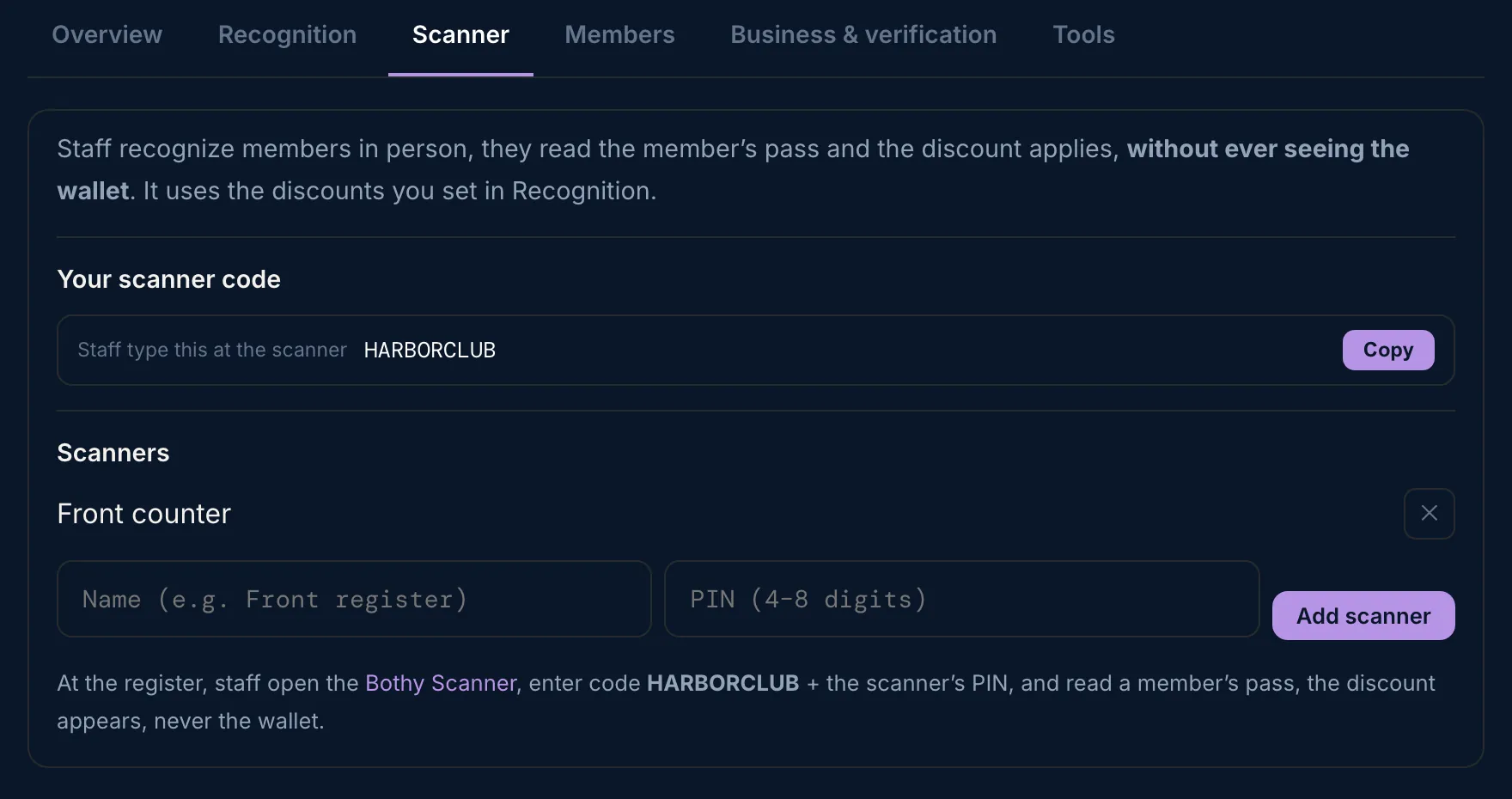
Name a scanner and give it a PIN. At the counter, staff open the Bothy Scanner, a web page, on the phone, tablet or laptop you already have, and sign in with your scanner code and that PIN. Nothing to buy or install. Want tap-to-recognize? Add blank NFC stickers from any online shop and program them from the Scanner.

They see yes or no and the discount. Never the wallet. See the Bothy Scanner.

skyemeta.com/bothy/dashboard
The Scanner tab: the scanner code HARBORCLUB and one scanner named Front counter
4Business & verification

Your profile, your website, your listing

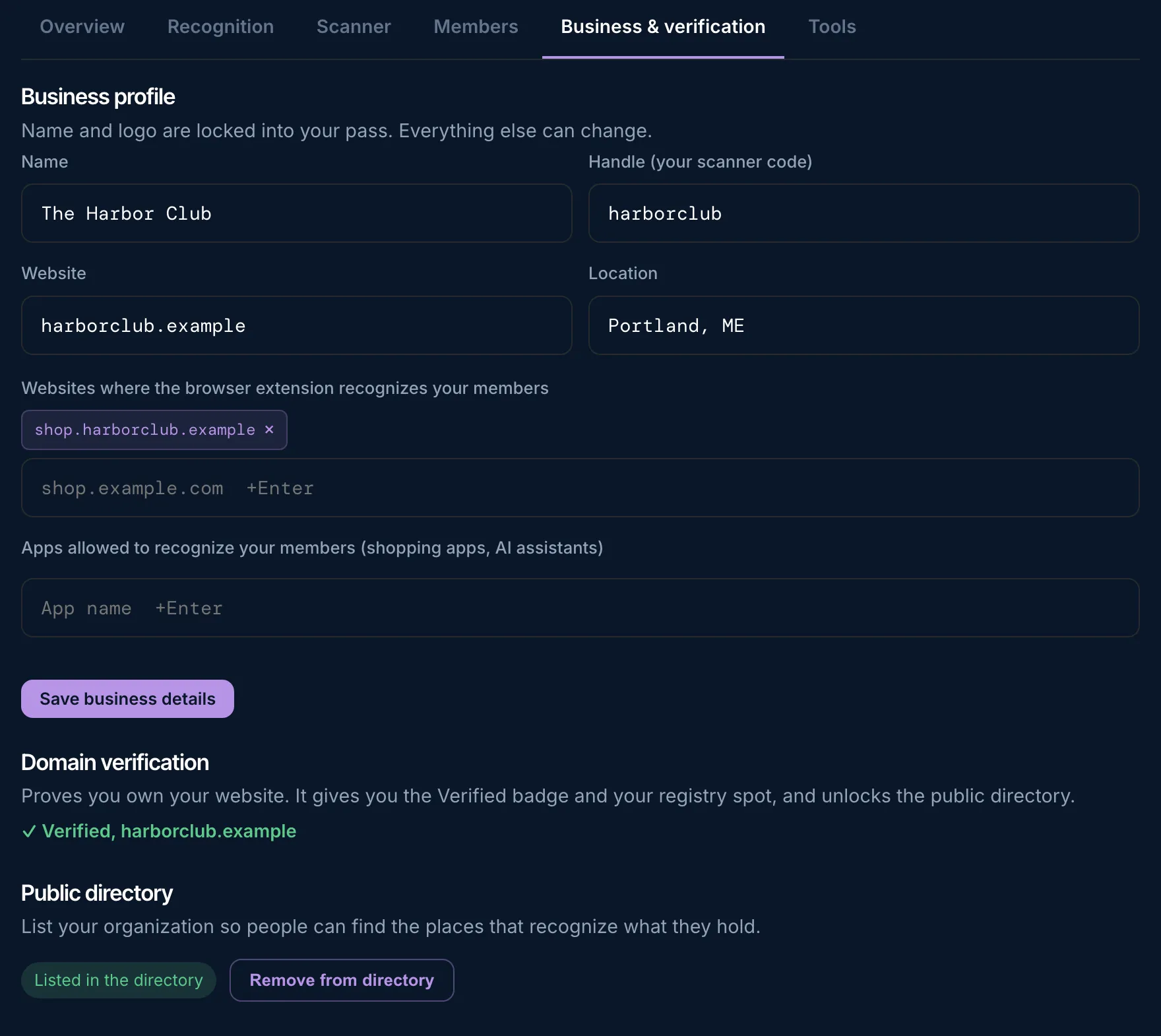
Your name and logo are set into your pass. Your website, location and the places that recognize your members stay easy to change. Verify your website for the Verified badge.

Once you are verified, you can choose to list your organization in the public directory. It is up to you.

skyemeta.com/bothy/dashboard
The Business and verification tab: profile fields, a verified website and a directory listing
5Tools

Put your pass to work

Members-only pages on your website with SkyeGate. Member prices in your online store with SkyeWoo or Shopify.

Download the plugins right here. Your license key unlocks them, with nothing more to buy.

skyemeta.com/bothy/dashboard
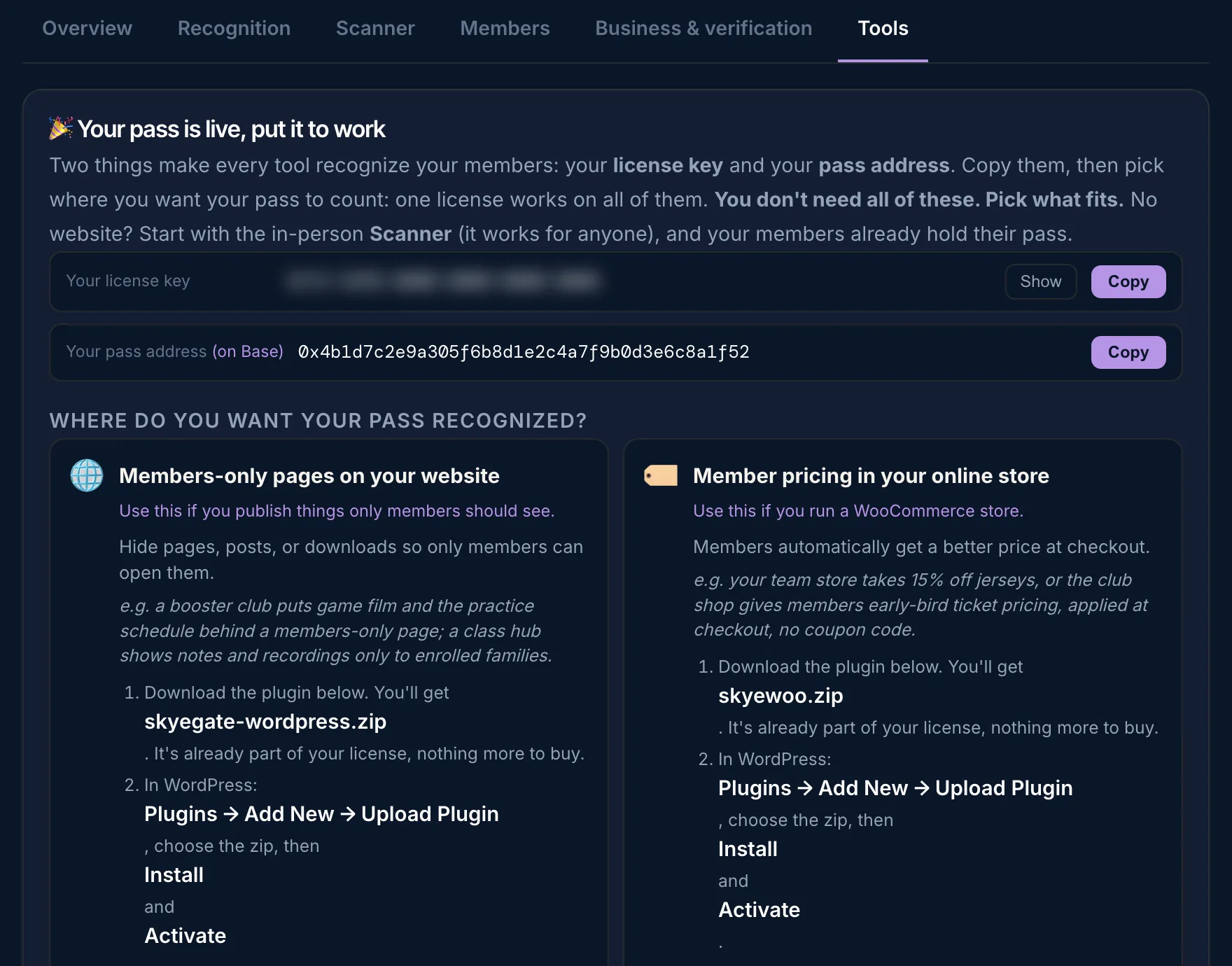
The Tools tab: the license key hidden, the pass address, and cards for members-only pages and member pricing
A clubhouse room with tables and chairs, ready for members

Set it up once. Your members feel it everywhere.

Where a member's discount lands.

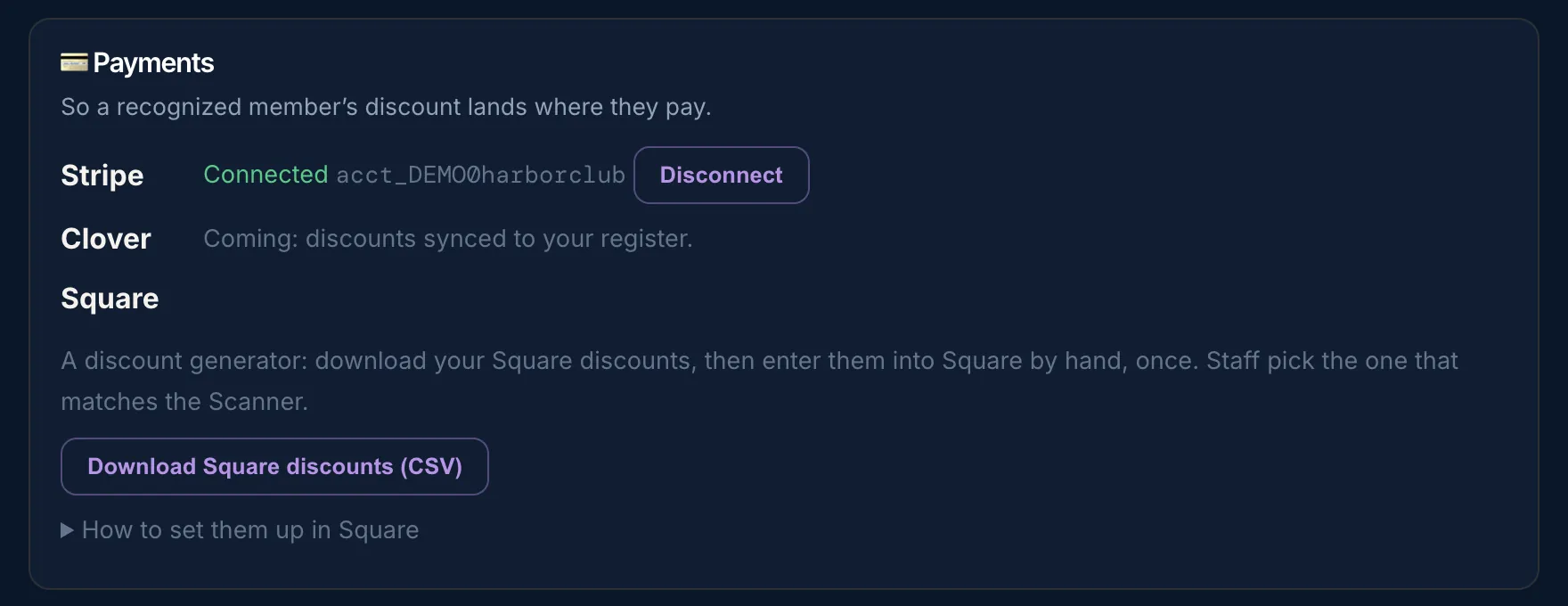
What the dashboard works with today, and what is coming.

Stripe

Live
Integrated

Connect your Stripe account and a member's discount is created as a coupon in Stripe automatically.

Square

Live
Discount generator

Download your Square discounts as a list, then enter them into Square by hand, once (Items, Discounts, Create a discount). Or use one Variable percentage discount. Staff pick the one the Scanner shows.

Clover

Coming soon
Point of sale

Discounts synced to your register.

WordPress, WooCommerce, Shopify

Live
Your website and store

Members-only pages with SkyeGate, member prices with SkyeWoo, and Shopify with Skye Recognition.

Bothy Scanner

Live
At the counter

A web page on your own phone, tablet or laptop. Staff recognize members at the register and see the discount. How it works.

Chrome

Coming soon
Browser recognition

Members recognized as they shop online, through a browser extension.

skyemeta.com/bothy/dashboard
The Payments card in the Tools tab: Stripe connected, Clover coming, and a Download Square discounts button

The Payments card in the Tools tab, for the demo community.

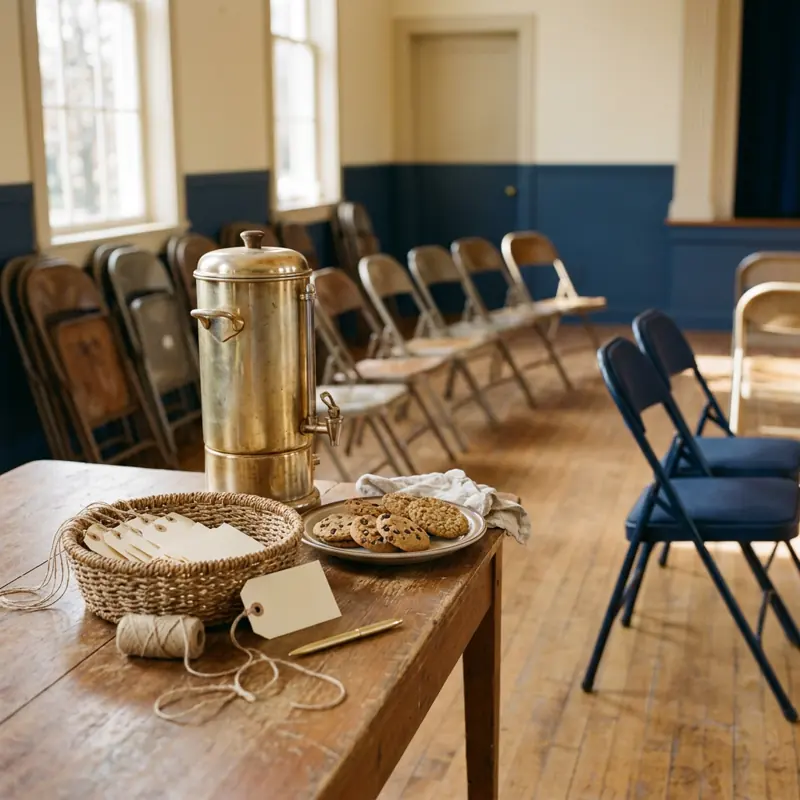
A community hall set up for a members' evening

Your dashboard is waiting.

Setting up is free. A Skye License is $49 a month or $350 a year, and the first 50 communities get their first year free. Members never pay.