Token-Gated Commerce for WooCommerce
Gate products, offer token-holder discounts, and reward your community — all inside WooCommerce. Wallet verification across 31 blockchains.
Gate products, offer token-holder discounts, and reward your community — all inside WooCommerce. Wallet verification across 31 blockchains.
SkyeWoo adds wallet verification to WooCommerce. Gate entire products, apply automatic discounts, or hide products from non-holders — all based on what your customers hold on-chain.
// Gate a product to USDC holders
Product Editor → SkyeWoo tab
  Token Gate: Enabled
  Contract: 0xA0b86991...eB48
  Chain: Ethereum
  Threshold: 100
  Action: Hide from shop until verified

// Auto-discount for NFT holders
Product Editor → SkyeWoo tab
  Wallet Discount: Enabled
  Collection: 0xBC4CA0Ed...f13d
  Chain: Ethereum
  Type: NFT ownership
  Discount: 20% off

// That's it — no shortcodes needed.
// Customers connect their wallet,
// gated products appear, discounts
// apply automatically at checkout.Upload SkyeWoo, activate your license key. Works alongside your existing WooCommerce setup — no migration, no API keys.
In the product editor, set token requirements: balance thresholds, NFT ownership, or multi-condition policies across up to 10 rules.
Shoppers connect their wallet with one click. Gated products appear, discounts apply automatically — all verified on-chain.
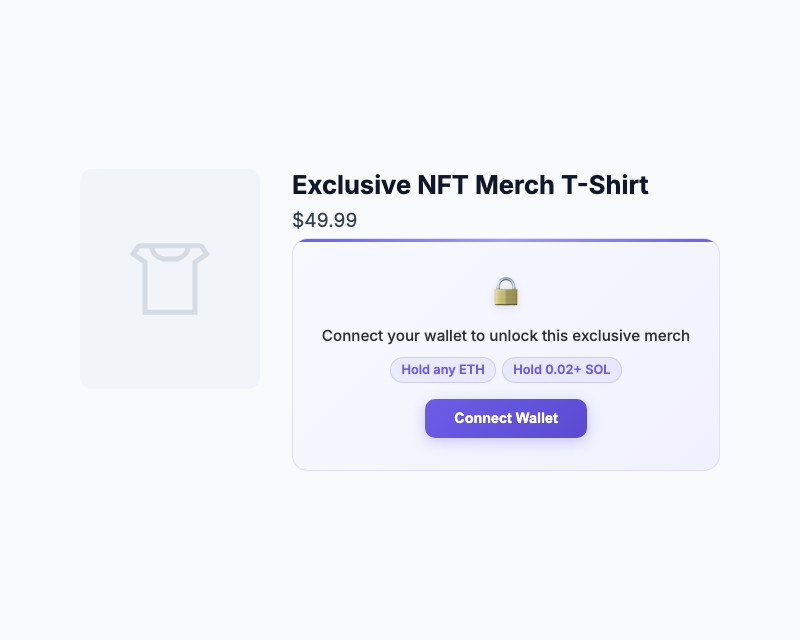
Gate Prompt — Visitors see token requirements and a Connect Wallet button. Add to Cart is hidden until verified.
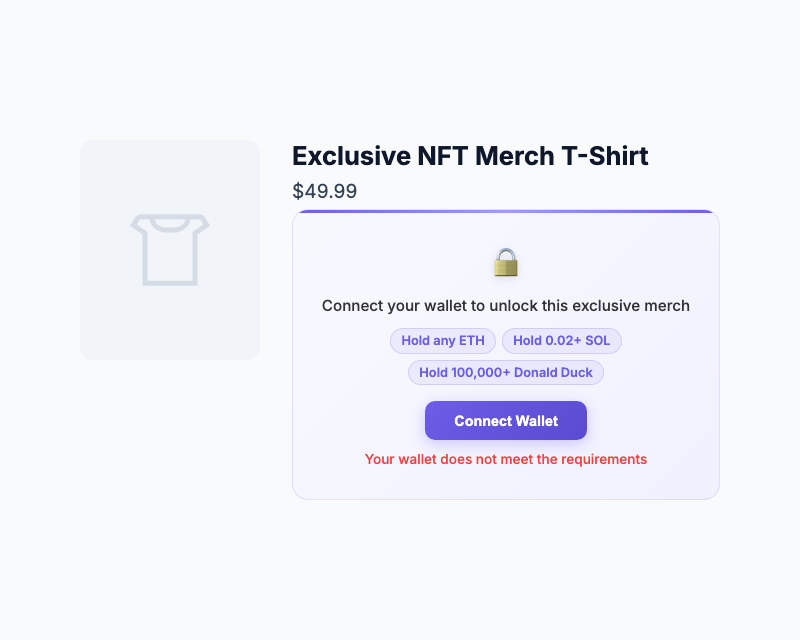
Wallet Doesn't Qualify — If the wallet fails verification, a clear message is shown. No purchase, no discount.
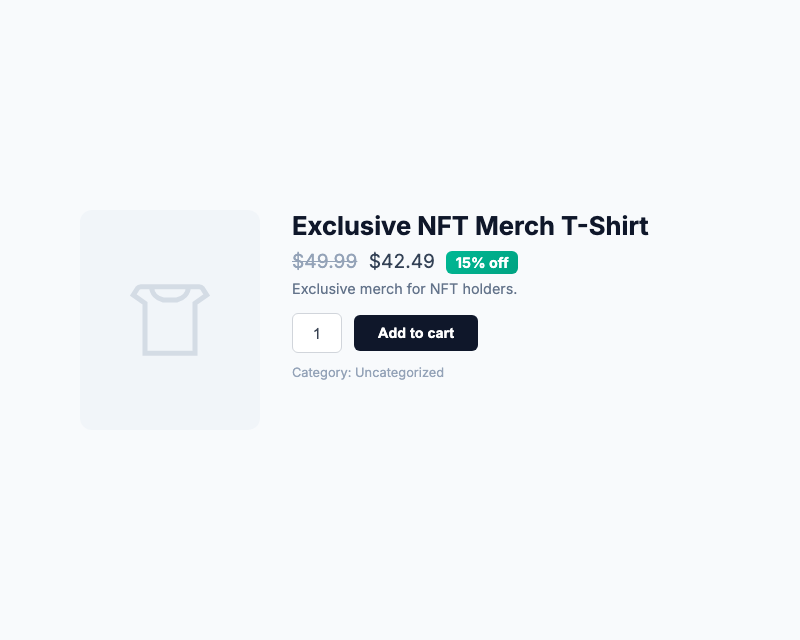
Verified — Wallet meets requirements. Price drops, discount tag appears, Add to Cart unlocks.
Launch products only your token holders can see and buy. No invite codes, no allowlists — just wallet verification.
Reward token holders with automatic discounts at checkout. Hold 100 USDC? Get 10% off. Hold an NFT? Get 20% off.
Create separate products for different holder levels — each with its own gate conditions and discount. Bronze, Silver, Gold — all wallet-verified.
Bridge digital ownership to physical products. NFT holders unlock exclusive apparel, collectibles, or event tickets.
Traditional loyalty programs require accounts, points, and manual management. SkyeWoo replaces all of that with wallet ownership. If they hold the token, they get the deal.
Discounts are wallet-verified and session-bound. There's nothing to screenshot, share, or post to a deal site.
The blockchain is the membership list. No accounts to manage, no points to track, no member database to maintain.
NFT holders can trade their access. When the token moves, the perk moves with it — automatically.
SkyeWoo returns pass or fail — never exposes the customer's actual balance or holdings.
By default, gated products are visible but not purchasable. Enable "Hide from shop" to remove them from your catalog entirely until the wallet passes.
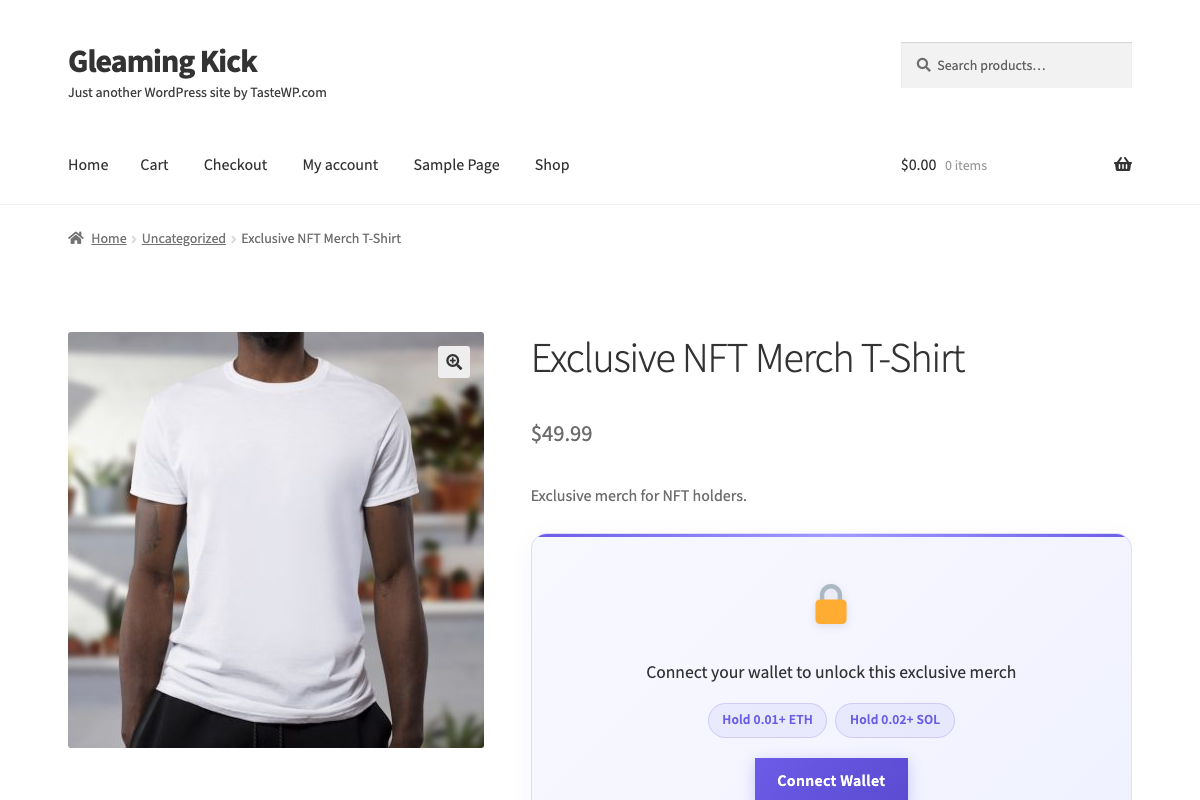
Default: Visible but Blocked — Product shows in the store. Add to Cart is replaced by the gate prompt. Customers must connect and verify before purchasing.
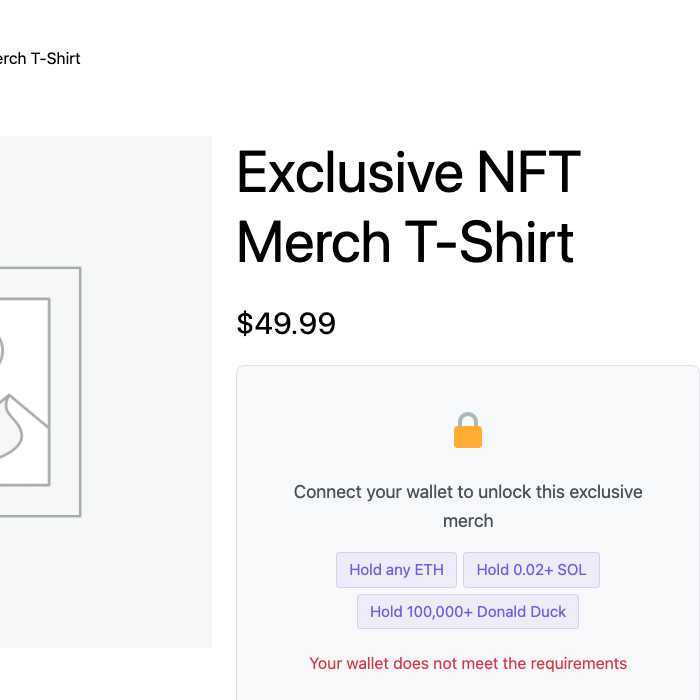
Wallet Doesn't Qualify — If the wallet fails verification, the customer sees a clear message. No purchase, no discount — server-side enforced.
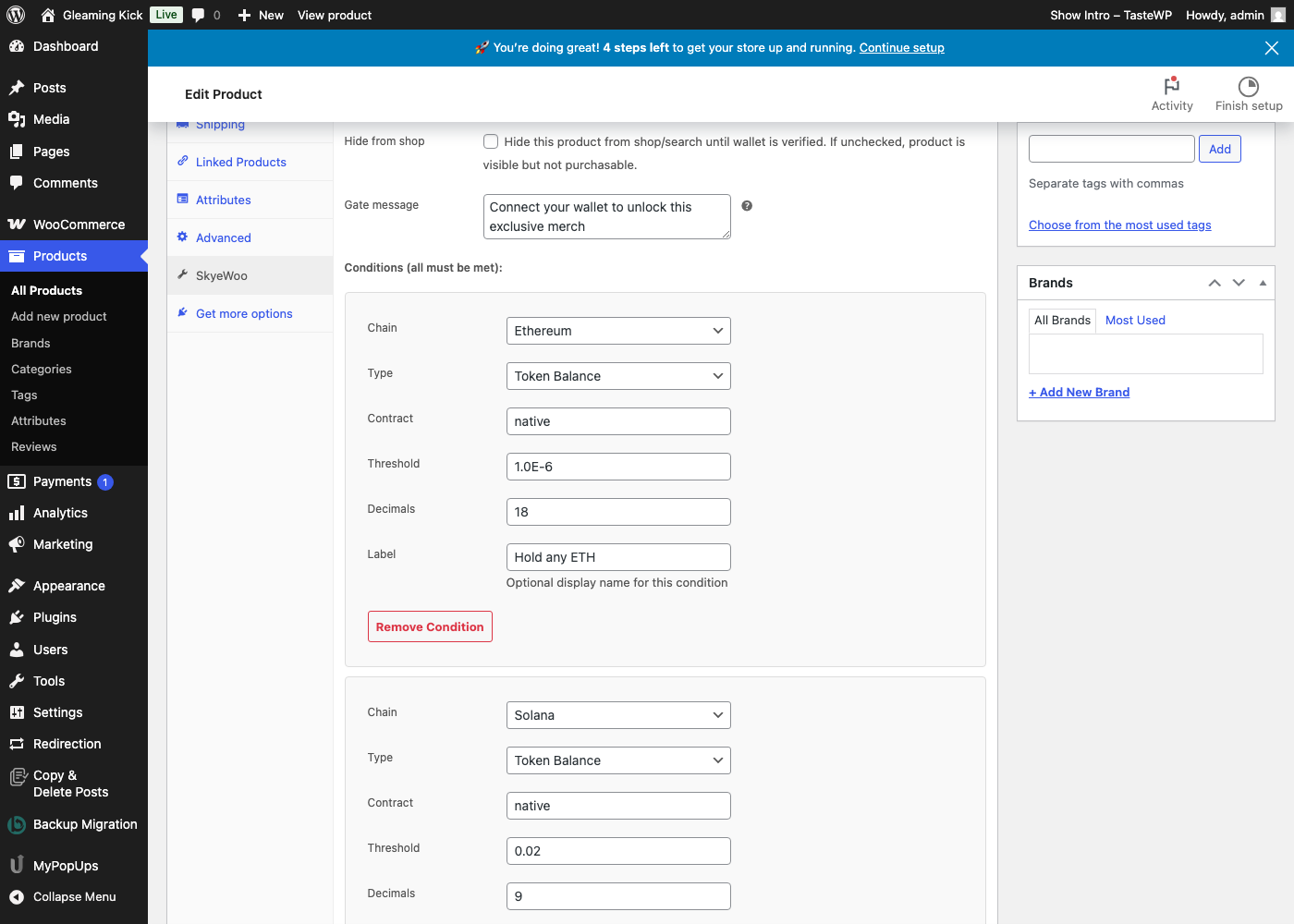
Optional: Hide from Shop — Check this box and the product is removed from your catalog, search, and direct URL entirely until the wallet is verified.
| Capability | SkyeWoo | Shopify Apps | Custom Dev | Coupon Codes |
|---|---|---|---|---|
| Blockchains supported | 31 | 1–5 | Varies | 0 |
| Multi-condition gates (up to 10 rules) | ✓ | ✕ | ✓ | ✕ |
| Server-side product protection | ✓ | ✕ | ✓ | ✕ |
| Automatic checkout discounts | ✓ | ✕ | ✓ | ✓ |
| Multi-wallet simultaneous connection | ✓ | ✕ | ✕ | ✕ |
| Signed cryptographic proof | ✓ | ✕ | ✕ | ✕ |
| No code required | ✓ | ✓ | ✕ | ✓ |
| Leak-proof (no shareable codes) | ✓ | ✕ | ✓ | ✕ |
| Flat pricing — no per-user fees | $49/mo | $30–100/mo | $$$$ | Free |
If one token-holder discount drives a single sale, the plugin pays for itself.
or $350/yr — save 40%
The broadest chain coverage of any token-gating plugin.
Choose monthly ($49/mo) or annual ($350/yr) billing. You'll receive your license key and a download link for the plugin ZIP by email.
Make sure WooCommerce is installed. Then go to Plugins → Add New → Upload Plugin, upload the ZIP, click Install Now, then click Activate Plugin.
In the left sidebar, go to WooCommerce → SkyeWoo. Paste your license key and click Activate. Your key is locked to this domain.
Edit any WooCommerce product. Click the SkyeWoo tab in the product data panel. Enable the gate, add conditions (chain, token, threshold), and optionally enable a wallet-verified discount. Save the product.
Visitors see the gate prompt with token requirements. They click Connect Wallet, all detected wallets connect, and verification runs automatically. If they pass — Add to Cart appears and any discount is applied.
After uploading the ZIP, make sure you clicked Activate Plugin on the install confirmation screen. Then look in the left sidebar under WooCommerce → SkyeWoo (not Settings). Paste your license key and click Activate.
Check your spam folder for an email from SkyeWoo <noreply@skyemeta.com>. If you still can't find it, contact us with your purchase email.
Yes. SkyeWoo is a standard WooCommerce extension. It adds a SkyeWoo tab to the product editor and works with any theme that supports WooCommerce.
Yes. Token gating is configured per product. Ungated products work exactly as before.
When a customer connects their wallet and meets the token requirement, a discount is automatically applied at checkout. No coupon code needed — the discount is tied to the wallet, not a shareable code.
No. Discounts are verified against the connected wallet at checkout. There's no code to screenshot or share — the discount is session-bound to the verified wallet.
MetaMask, Coinbase Wallet, or Phantom. All detected wallets connect simultaneously with one click. On mobile, customers use their wallet app's built-in browser.
Yes. Up to 10 conditions per product — for example, require both an NFT and a minimum token balance across different chains.
No. SkyeWoo is a standalone plugin for WooCommerce product gating and discounts. SkyeGate is for gating blog posts and pages — they work independently with separate licenses.
Go to skyemeta.com/account, enter your license key, and cancel through the billing portal. You keep access until the end of your billing period.